- All Trends AI
- Posts
- 🧠 ChatGPT moves into Word, and Google CC tackles family admin
🧠 ChatGPT moves into Word, and Google CC tackles family admin
PLUS: Generate B-roll, plan projects, and explore four useful AI tools

All Trends AI
September 21, 2026

In partnership with

Welcome back, AI enthusiasts!
One less copy-and-paste job, one less calendar to untangle. Today’s AI updates bring help into the places where work and everyday life already happen. Here’s what you can use, what’s rolling out, and what still needs an invitation.
IN TODAY’S ISSUE
📝 ChatGPT moves into Microsoft Word
🎬 Create a missing cutaway with Riverside
🧰 Four tools for your next project
🏡 Google CC takes on household admin
⚡ Windows agents, Muse connectors, and more
Read time: 4 minutes
NEWS

Image: OpenAI
The familiar routine of moving a paragraph into a chatbot, then pasting the answer back, has a new alternative. ChatGPT for Word puts an assistant beside your open document.
Install the ChatGPT add-in from Microsoft Marketplace, open it from Word’s ribbon, and sign in. Then give it a specific job:
Rewrite a section: select the text and explain the audience, tone, and details that must stay.
Build a first draft: supply rough notes and ask for a structured document.
Clean up the structure: work on headings, numbering, or inconsistent terms without changing apps.
Access: It’s available globally on all ChatGPT plans, including Free; workplace administrators may need to enable it. Usage is token-based and plan limits apply, so “available on Free” doesn’t mean unlimited use.
Why it matters: You can work on the actual file while keeping the context visible. Save a copy before major revisions, and review edits and complex formatting before sharing.
Read more here
TOGETHER WITH PROTON
Free email without sacrificing your privacy
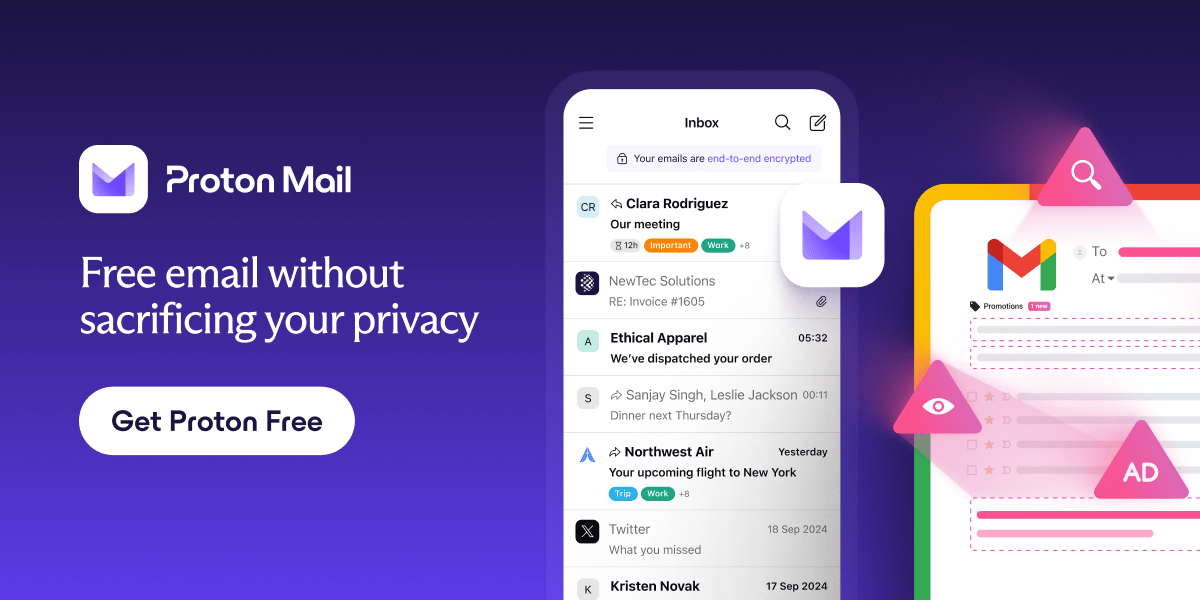
Gmail is free, but you pay with your data. Proton Mail is different.
We don’t scan your messages. We don’t sell your behavior. We don’t follow you across the internet.
Proton Mail gives you full-featured, private email without surveillance or creepy profiling. It’s email that respects your time, your attention, and your boundaries.
Email doesn’t have to cost your privacy.
AI TOOL OF THE DAY

Image: Riverside’s video editor
Riverside’s AI B-roll turns a written scene description into footage you can add to your recording. It’s useful when a talking-head explanation needs a visual break.
Try this short workflow:
Open a recording in Riverside’s browser editor, or upload a video. Choose one moment that would benefit from an illustrative cutaway.
Open Stock, enter a prompt in the textbox, choose whether to add audio, and generate.
Find the result in Uploads. Review it, then add it as an overlay or insert it into the timeline.
Original prompt to try:
A quiet overhead shot of a desk at the start of a workday. Three blank sticky notes sit beside a closed notebook and a cup of tea. Soft morning light slowly moves across the paper. Locked camera, realistic materials, no people, no readable text, no logos.
Use it beneath a line about planning your morning. Keep generated footage illustrative; don’t present it as a recording of something that happened.
Access: Pro, Grow, Webinar, and Business plans; generation uses AI credits.
Read more here
4 TRENDING AI TOOLS
Four discoveries worth exploring, whether or not they’re new to you:
🎨 Astorie: Connect image, video, and audio steps on a creative canvas, then save a workflow to reuse. (link)
🎧 VideoTranscript: Turn a recording or YouTube link into timed, searchable text, then make notes or chapters. (link)
🗓️ GanttPilot: Draft an editable project schedule and preview how a delayed task changes the plan before approving revisions. (link)
🧩 Taku: Browse ready-to-use AI apps and combine them into a workflow you can adapt to your task. (link)
NEWS

Image: Google
Google’s redesigned CC, announced last Thursday, turns shared emails and schedules into household help.
Up to six members can work with the agent, choosing what to share.
A shared morning brief brings together the day’s plans and outstanding tasks.
Calendar and task updates can come from selected emails, shared files, or a photo of an invitation.
Help with the admin: CC can prepare meal plans, shopping lists, and pre-filled registration forms, asking for missing details.
Google says CC won’t act or share information outside the group without permission.
Who can try it? This is an early Google Labs experiment for U.S. adults with personal Google accounts. Existing users will receive upgrade invitations; newcomers can join the waitlist.
Why it matters: Household coordination is shared work. An assistant becomes more useful when everyone can contribute the relevant context.
Read more here
QUICK AND FRESH
💻 Perplexity brings Personal Computer to Windows. It can work with approved folders and Microsoft apps. Access is rolling out to Pro and Max subscribers through the Windows app.
🧩 Muse opens a route for third-party connectors. Developers can submit services for review. Approved connectors can appear in Muse’s directory; submission alone doesn’t make an integration available.
🛠️ Claude Code projects can coordinate parallel work. The September 17 beta starts with selected Pro and Max users who use cloud sessions and have no existing web or desktop projects. Others can join a waitlist; multiple threads can consume usage faster.
🎞️ Runway adds Enhance Frame Rate. The new tool converts footage to delivery formats including 25, 30, 60, and 120 fps. It supports clips up to five minutes and 4K, including video made outside Runway.
PARTNER WITH US
Feature your brand on All Trends AI
Have a product our readers should know about? Put it in front of people who want to understand AI and find practical ways to use it.
YOUR OPINION MATTERS
Would you put an AI assistant to work on your documents or your household calendar first? Tell us on @alltrendsai.
How was today's newsletter?Your feedback helps us make All Trends AI better every day! |
Until next time, stay informed!
Reply